
Products/Audio Hub
Wyrá Audio Hub
An ESP32 stereo audio interface for your mixer. Stream over Wi-Fi, play from your phone over Bluetooth, or monitor locally, all picked with a hardware switch.
- 44.1 kHz / 16-bit
- Stereo in + out
- Wi-Fi + Bluetooth
- Up to 4 apps
How it works
From the mixer to wherever the switch points
Line-level audio from your mixer goes into a PCM1808 converter, through the ESP32, and out to your network or back to the mixer through a PCM5102A converter.
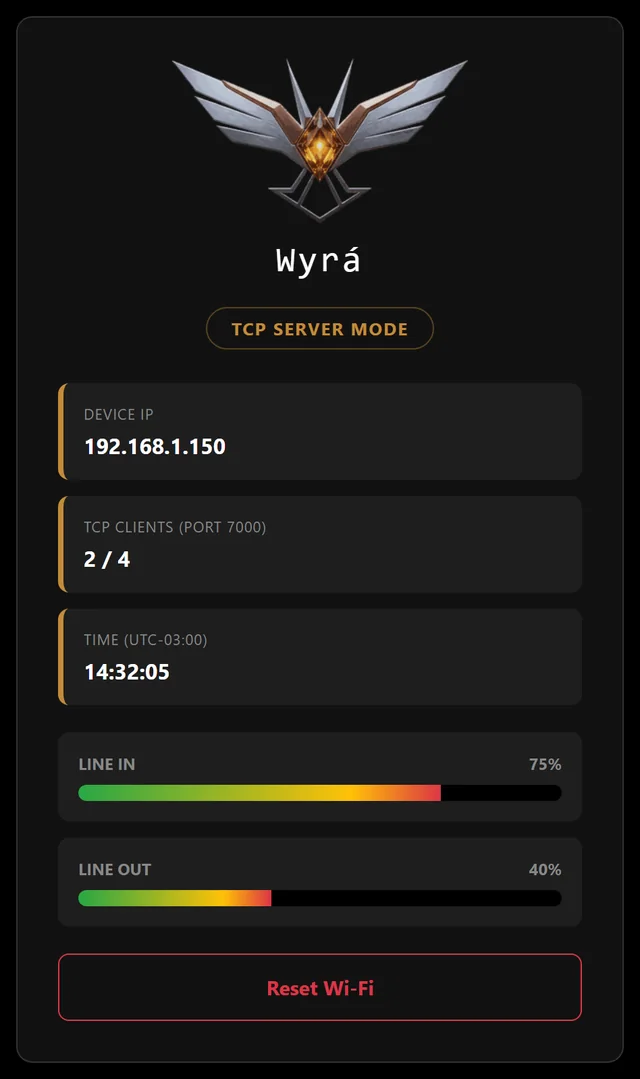
A small OLED on the device shows the mode, the IP address and live input and output level meters. Moving the switch restarts the audio path in the new mode, with no reboot and no app to open.
Three modes, one switch
Pick the job, slide the switch
Wi-Fi audio server
Streams the line input to up to four apps on your network over TCP and plays the audio they send back. Python example clients are included.
Bluetooth speaker
Pair a phone, tablet or laptop and its audio plays on the line output: music, backing tracks, announcements. Wi-Fi is switched off in this mode.
Aux pass-through
Line in goes straight to line out through the converters, for local monitoring with no network at all.
Set up from your phone
No app to install
The device opens its own Wi-Fi network for setup and serves a live dashboard to any browser on your network.
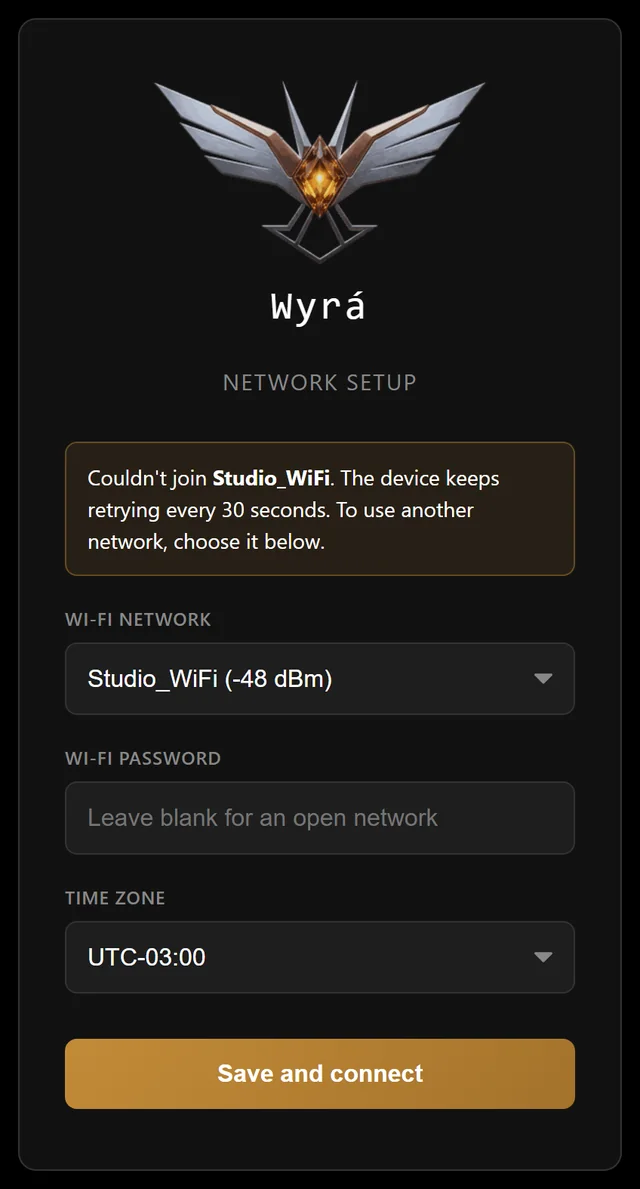
Built for real rooms. Bluetooth and Aux work without any setup. If the router takes a while to come back after a power cut, the Audio Hub keeps the saved network and reconnects on its own.
Specifications
What's inside
Two I2S buses run in full duplex, with the ESP32 as clock master for both converters.
| Audio | 44.1 kHz / 16-bit, stereo, full duplex |
|---|---|
| Converters | PCM1808 ADC · PCM5102A DAC |
| Wi-Fi | 2.4 GHz · raw PCM over TCP, port 7000 · up to 4 clients |
| Bluetooth | Classic Bluetooth A2DP (speaker mode) |
| Controls | 3-position mode switch |
| Display | 0.96" OLED: mode, IP address, level meters |
| Setup | Web page from your phone · live web dashboard |
| Power | 5 V USB (2 A supply recommended) |
The build kit
Build your own
The first release is a digital build kit: everything you need to make one yourself, without fighting library versions or compiler settings.
The kit will include
- Pre-built firmware with a one-click installer in your browser (Chrome or Edge)
- Step-by-step build guide (PDF) with wiring diagrams
- Parts list with the exact modules used
- Python example clients to stream audio to and from the device
- Email support while you build
You'll need
- ESP32 board with a built-in 0.96" OLED (classic ESP32, not S2, S3 or C3)
- PCM1808 ADC and PCM5102A DAC modules
- 3-position slide switch, 2 × 10 kΩ resistors, audio jacks and wire
- 5 V / 2 A USB power supply
- Basic soldering tools
Good to know
- Wi-Fi mode speaks a simple raw-PCM protocol over TCP. It works with the included Python clients or your own app; it doesn't plug into Voicemeeter or OBS out of the box.
- Line out over Wi-Fi and Bluetooth playback are tested on hardware. Line-in streaming and the Aux mode are in final testing.
- The firmware is source-available for personal, non-commercial use. Reselling it, or selling devices built with it, isn't allowed.
FAQ
Questions
Do I need to know how to code?
No. The kit's firmware installs from your browser and the guide walks you through the wiring. You will need to solder a few wires.
Is the source code available?
Yes. The source is on GitHub for personal use. The kit adds ready-to-flash firmware, the build guide and support.
Which devices can play over Bluetooth?
Any phone, tablet or computer that can play to a Bluetooth speaker. The Audio Hub shows up as Audio_Server_ESP32.
Can I buy one already assembled?
Not yet. If you'd like one, email us: it helps decide whether to build a batch.
Coming soon
Be first to build one
Send a one-line email and you'll get a note when the build kit is ready.